 FIXSIM
Last updated: July 29, 2026
Session Overview Report
The Overview report shows a real-time view of the FIX message traffic between FIXSIM and the connected FIX application. See live traffic and drill into messages sent / received to see FIX messages and tag descriptions.
Messages Live Feed
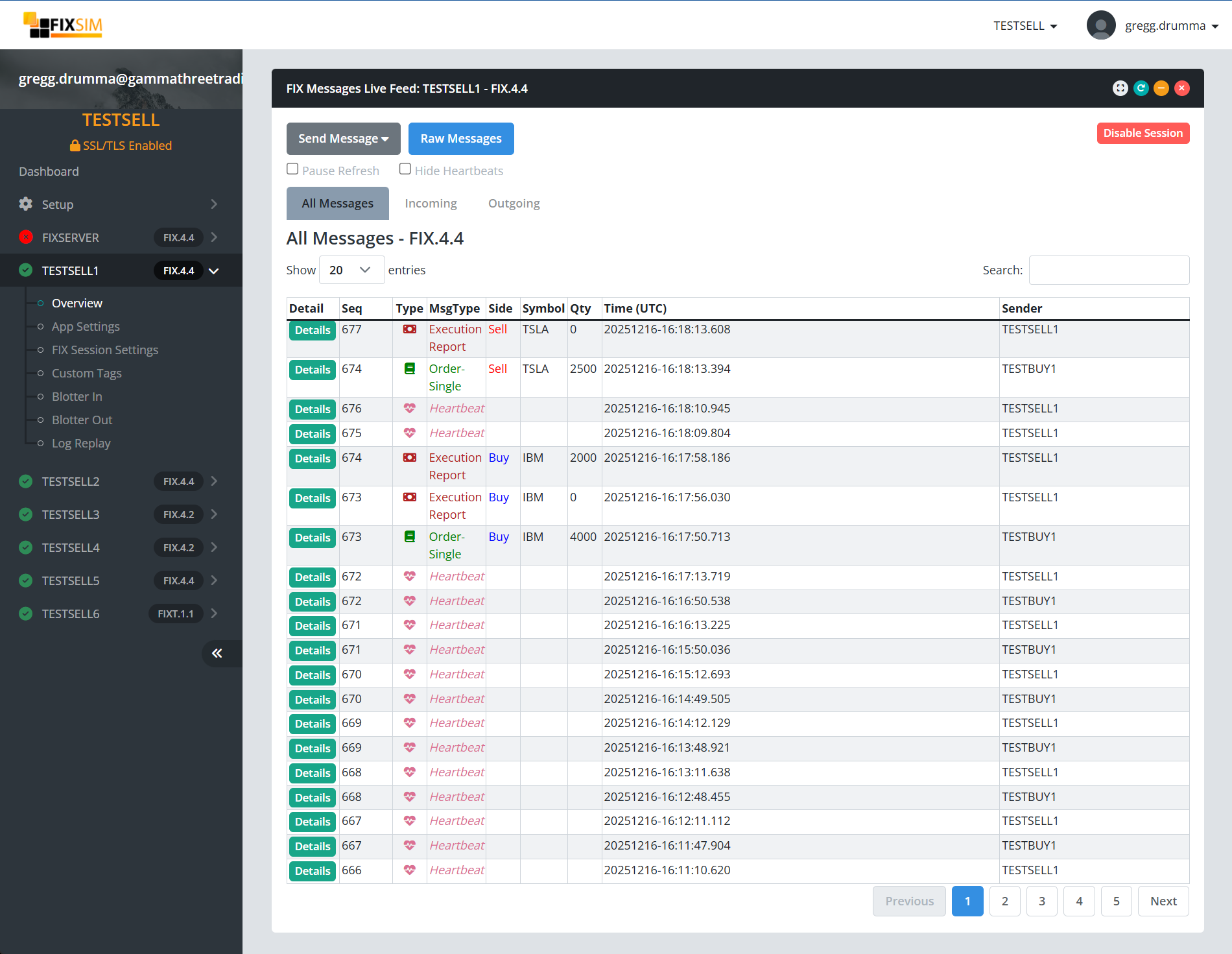
The live feed lists each message as it is sent or received. Drill into any row to see the raw FIX message along with tag-by-tag descriptions.
Filter Tabs
The message table has tabs to filter messages as follows:
- All Messages - Show all messages sent / received
- Incoming - Filter messages showing only incoming application messages.
- Outgoing - Filter messages showing only outgoing application messages.
Actions
On the Overview report, there are a few buttons and checkboxes to create actions.
Send Message
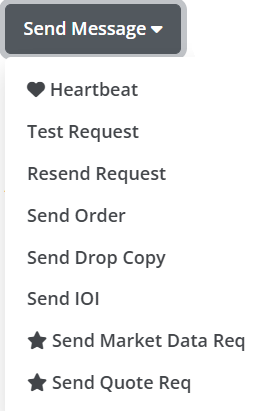
From the Send Message dropdown button, there are a number of actions that can be triggered.
- Heartbeat - Manually send a Heartbeat (35=0) to the other side.
- Test Request - Manually send a Test Request (35=1) to the other side. Expected heartbeat to be returned.
- Resend Request - Manually send a ResendRequest (35=2). Modal dialog box will appear to allow the definition of what message range.
- Send Order - Shortcut to send New Order Single (35=D) form.
- Send Drop Copy - Shortcut to send a "drop copy" Execution Report (35=8) form.
- Send IOI - Shortcut to send Indication of Interest (IOI) (35=6) form.
- Send Market Data Request - Shortcut to send Market Data Request (35=V) form.
- Send Quote Req - Shortcut to send Quote Request (35=R) form.
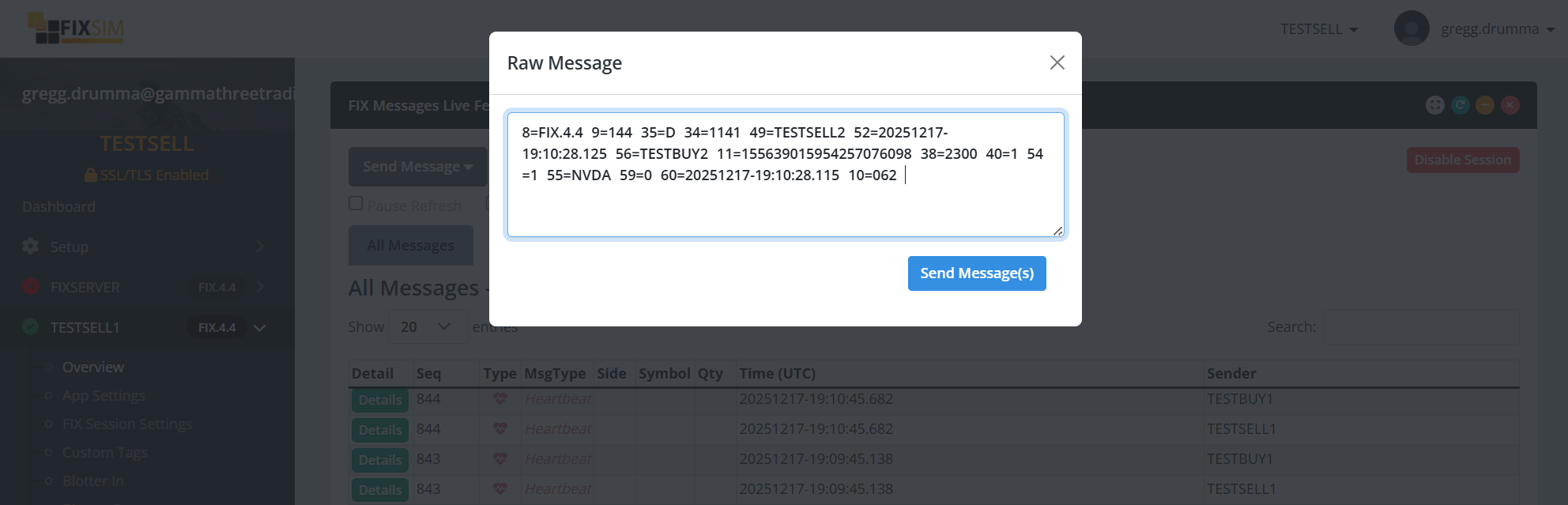
Raw Message
Clicking on the "Raw Message" button will bring up a modal where you can paste a "raw" FIX message to be sent through FIXSIM. FIXSIM will update the fields that are necessary, including: SenderCompId, TargetCompId, MsgSeqNum, BodyLength, Checksum, and more.