 FIXSIM
Last updated: August 13, 2026
Rules & Automation
The Rule Builder lets you define how FIXSIM automatically responds to incoming messages, ideal for repeatable regression scenarios, certification rehearsals, and stress testing. A rule has two parts: a trigger (which messages it matches) and one or more actions (what FIXSIM does in response).
Rules are managed under Setup → Rules in the portal sidebar.
Step 1: Create a rule and define its trigger
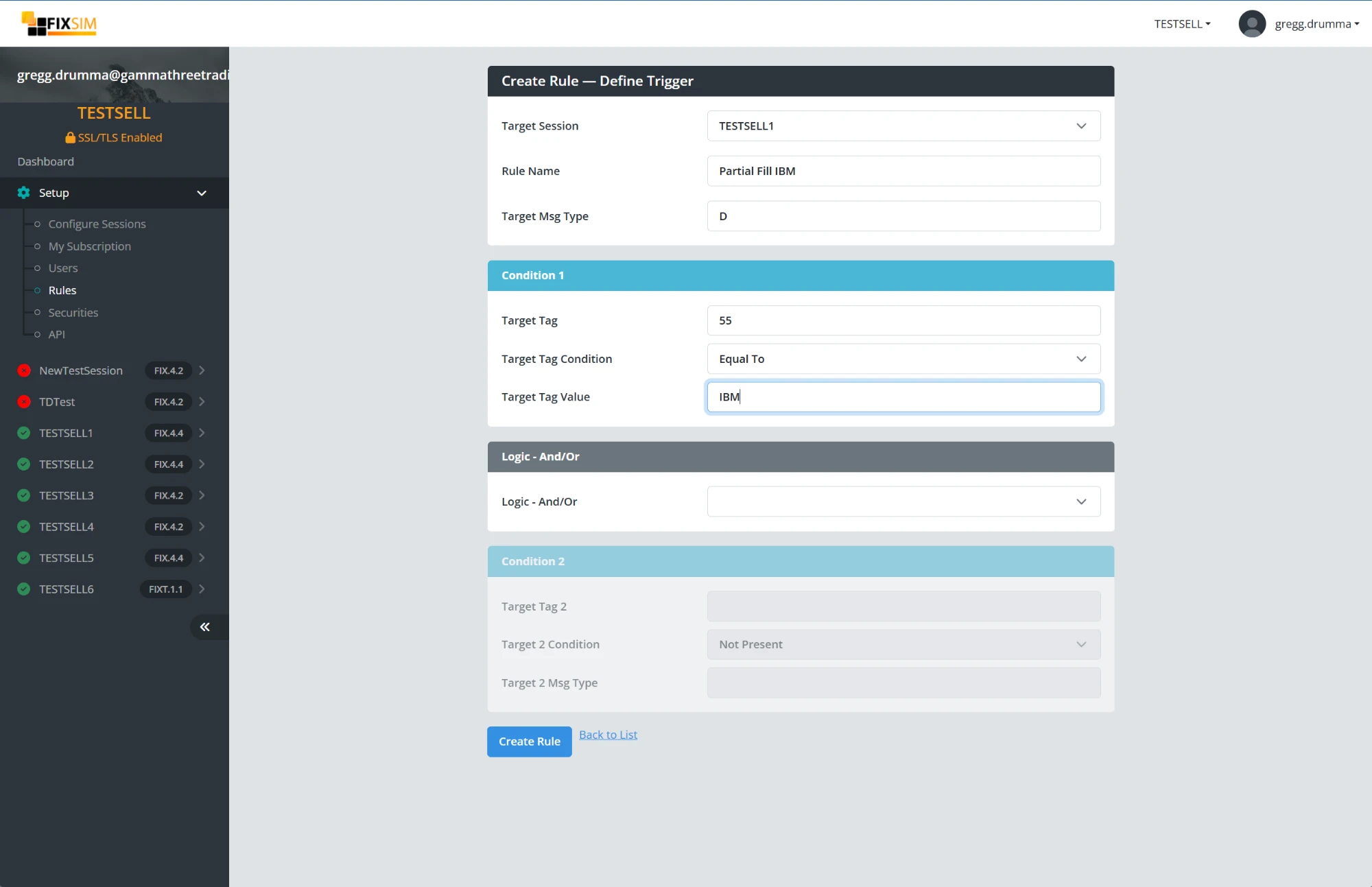
Click Create Rule and define what the rule listens for:
- Target Session - The FIX session this rule applies to.
- Rule Name - A descriptive name, e.g. "Partial Fill IBM".
- Target Msg Type - The FIX message type (tag 35) that triggers the rule, e.g.
Dfor New Order Single. -
Condition 1 - An optional tag condition: a Target Tag (e.g.
55, Symbol), a condition (e.g. Equal To), and a value (e.g.IBM). - Logic - And/Or + Condition 2 - Optionally combine a second condition with And/Or logic. A condition can also test that a tag is not present on the message.
The example above triggers on every New Order Single (35=D) received on session TESTSELL1 where tag 55 equals IBM.
Step 2: Review the rule's message pipeline
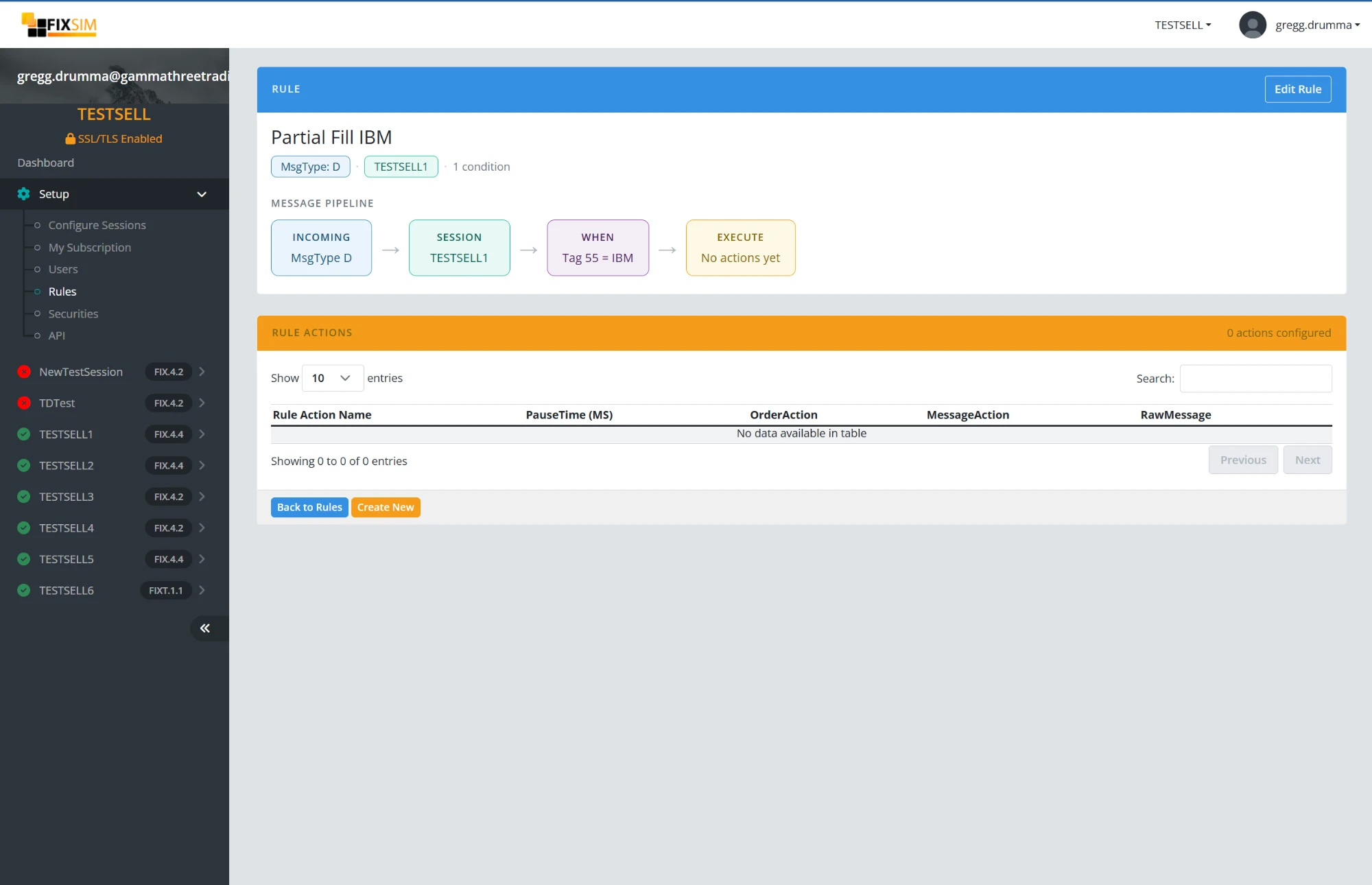
After creating the rule, its detail page shows the message pipeline, a left-to-right view of how a message flows through the rule:
INCOMING (MsgType D) → SESSION (TESTSELL1) → WHEN (Tag 55 = IBM) → EXECUTE (your actions)
The Rule Actions table below the pipeline lists the actions attached to the rule. A new rule starts with no actions; click Create New to add one.
Step 3: Add actions
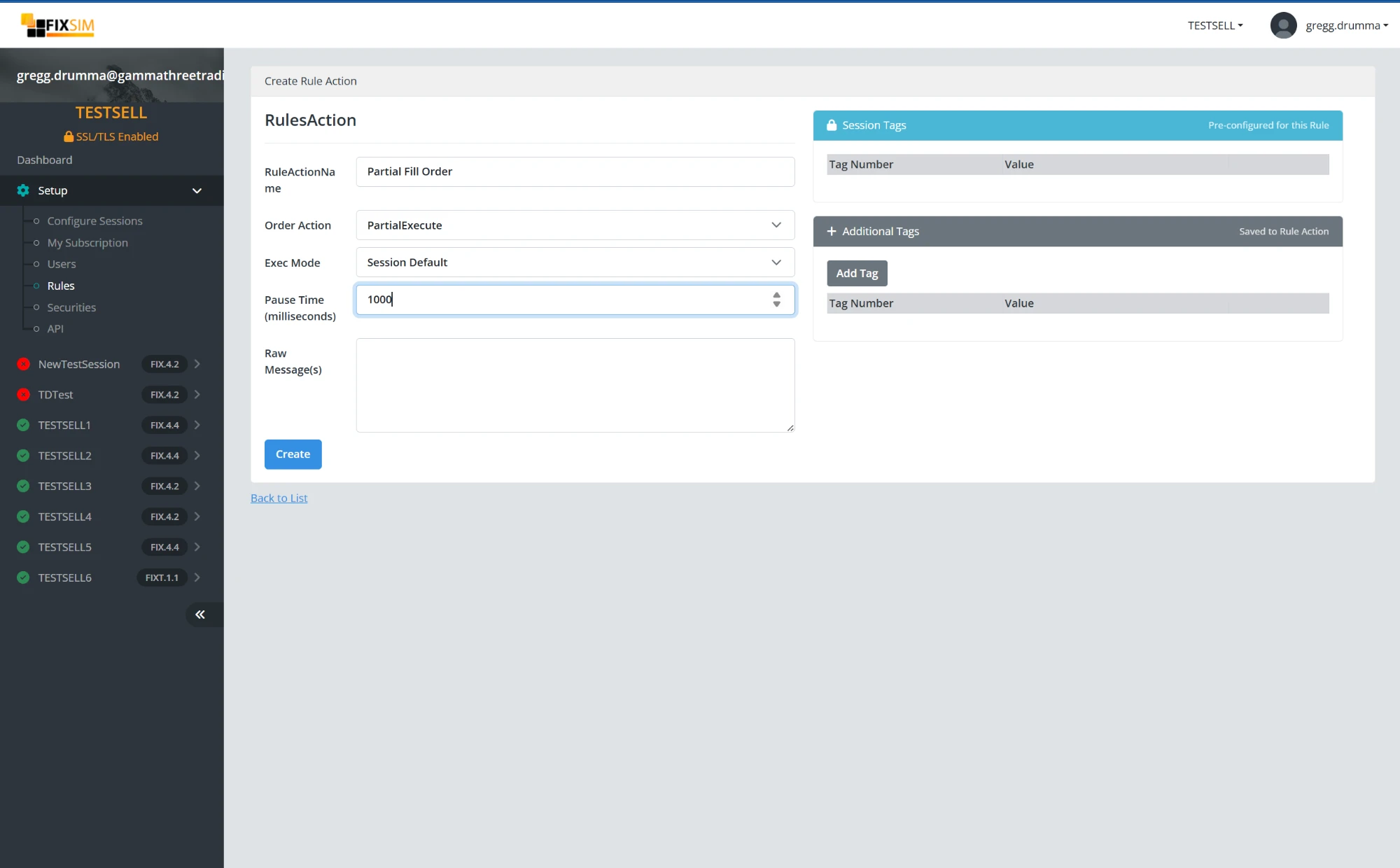
An action defines what FIXSIM does when the trigger matches:
- Rule Action Name - A descriptive name, e.g. "Partial Fill Order".
- Order Action - Act on the triggering order, for example
PartialExecuteto send a partial fill. The same order actions available manually in the blotters (fills, cancels, rejects) can be automated here. - Exec Mode - How the execution is styled. Session Default follows the ExecMode configured in the session's App Settings; or choose a specific mode for this action.
- Pause Time (milliseconds) - Delay before the action runs, to simulate counterparty latency. E.g.
1000responds after one second. - Raw Message(s) - Optionally send one or more raw FIX messages as the response instead of (or in addition to) an order action.
- Additional Tags - Add specific tags/values to the messages this action generates, on top of the session's pre-configured tags.
A rule can have multiple actions, so a single trigger can produce a realistic multi-message response.
Putting it together
The worked example above ("Partial Fill IBM") partially fills any IBM order received on the session, one second after it arrives. The same pattern covers most simulation needs: reject orders matching a condition, delay fills to test timeout handling, respond to specific symbols with specific executions, or fire raw message sequences in response to a trigger.
Combine multiple rules to simulate venue behavior, risk checks, partial fills, and latency scenarios. For scripted control from CI/CD instead of rules, see the REST API.
