 FIXSIM
Start Your Free Trial
7 days. No credit card required. No install. Connect your FIX engine and start testing in minutes.
Work email required. Free for 7 days, then choose a plan or cancel.
What's Included in Your Trial
🔌 Connect Immediately
Create a FIX session in minutes. Connect your OMS, EMS, or custom FIX engine directly, with no broker or counterparty needed.
📋 Full Message Visibility
Inspect every message in raw FIX and translated tag format. Debug rejects, logon failures, and mismatched sequences with ease.
⚡ Simulate Order Flow
Manually trigger fills, cancels, rejects, and replaces. Test your business logic against realistic counterparty behavior.
🔄 Session Layer Testing
Test sequencing, resends, duplicates, and session recovery. Validate your FIX engine handles edge cases before they hit production.
✅ FIX 4.0 – 5.0SP2
Full support across all major FIX versions. Works with QuickFIX, QuickFIX/N, QuickFIXJ, and any standards-compliant FIX engine.
🌐 100% Browser-Based
Nothing to install or configure. Sign up, create a session, and connect. Your team can be testing within minutes of registration.
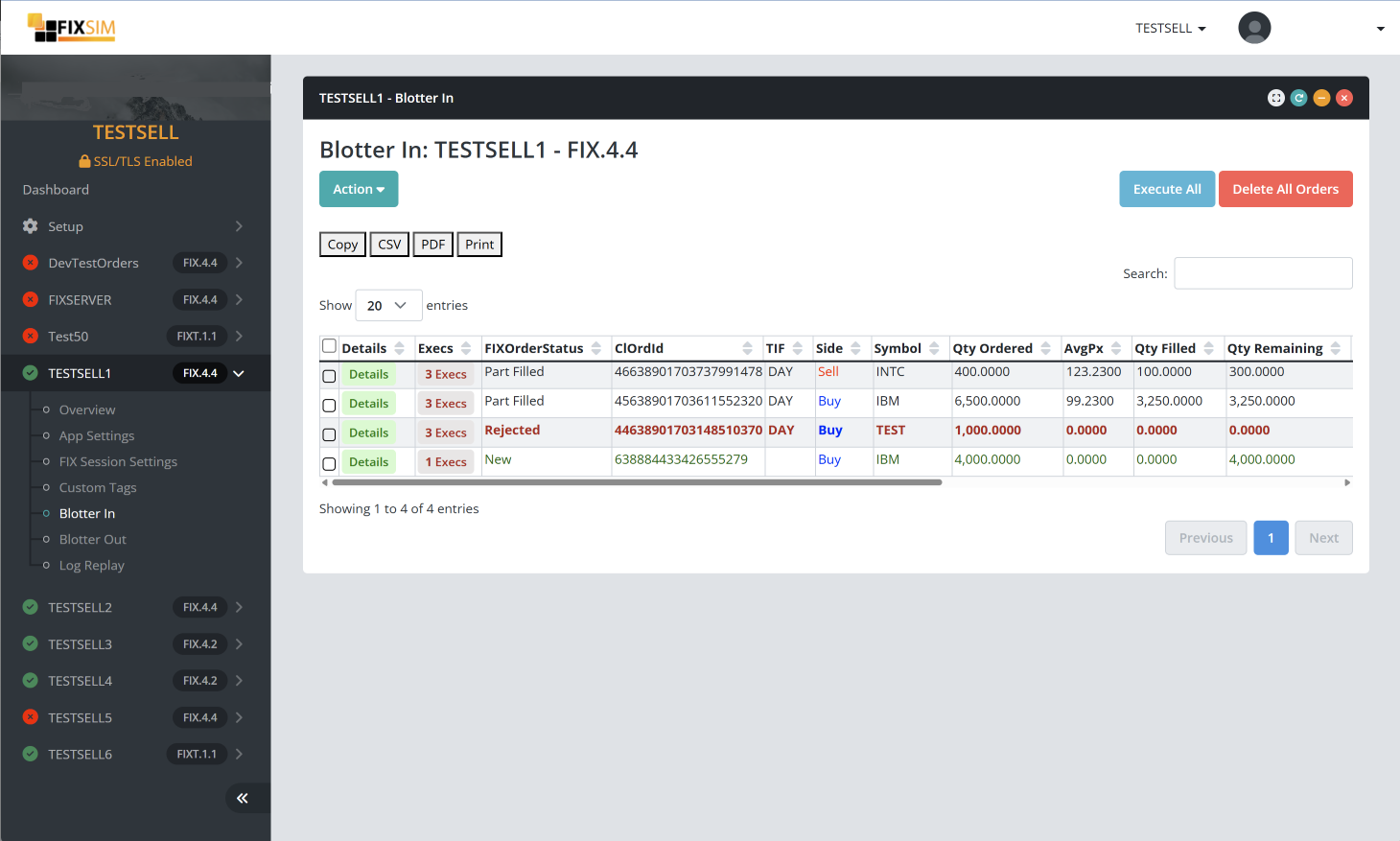
FIXSIM blotter view: real-time order and execution visibility with trader-style controls.
How to Get Started
1
Create Account
Register with your work email. Verify and log in instantly.
2
Create a FIX Session
Configure your session parameters: SenderCompID, TargetCompID, FIX version.
3
Connect Your Engine
Point your FIX engine at your FIXSIM session endpoint and connect.
4
Start Testing
Send orders, trigger responses, inspect messages. Your 7-day trial begins.
Trial Details
- 7-day trial from date of registration
- Full access to Starter plan features
- Single FIX session
- Single user login
- No credit card required to start
- Work email required to register
- Upgrade to a paid plan at any time
- Questions? Contact us; we'll help you get connected
