 FIXSIM
Last updated: August 13, 2026
Algo Tickets (FIXatdl)
Algo Tickets lets you test your algo order flow against the FIXatdl files your brokers already publish. Upload a broker's FIXatdl file and FIXSIM renders it as a live algo ticket with the same strategies, parameters, and validation rules your OMS/EMS sees, then sends real algo NewOrderSingles, with the correct custom tags, over any of your FIX sessions.
Algo Tickets is an Enterprise plan feature, managed under Setup → Algo Tickets in the portal sidebar. On other plans the page shows a live interactive demo built from the FIXatdl specification's sample file, so you can see exactly how tickets render before upgrading.
Step 1: Upload a FIXatdl file
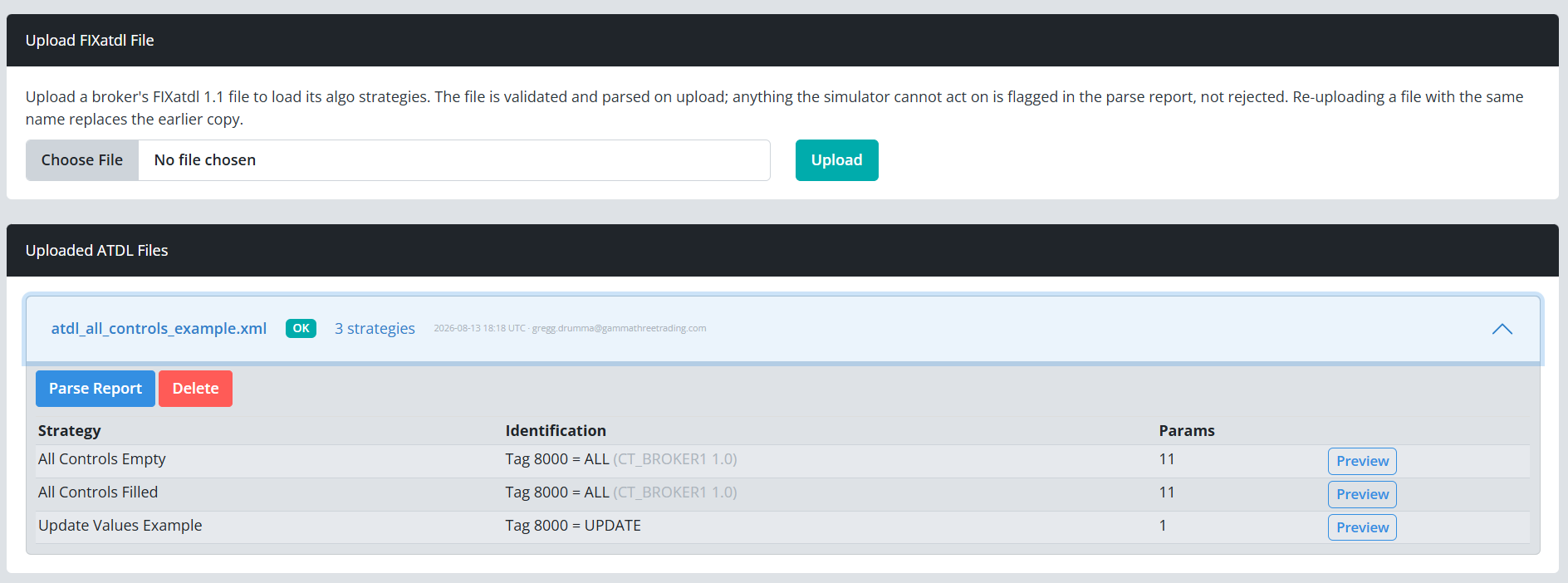
On the Algo Tickets page, choose a .xml or .atdl file and click Upload.
FIXSIM accepts FIXatdl 1.0 and 1.1 files and parses them tolerantly: anything the simulator cannot act on is flagged in the parse report rather than rejected, so real-world broker files load as-is.
Re-uploading a file with the same name replaces the earlier copy.
Each uploaded file appears in the Uploaded ATDL Files list with a status badge (OK or WARNINGS) and its strategies. Click Parse Report for the full breakdown: file-level warnings plus per-strategy notes, such as parameters that will travel in the StrategyParameters repeating group because they carry no fixTag. Files are private to your firm.
Step 2: Preview a strategy
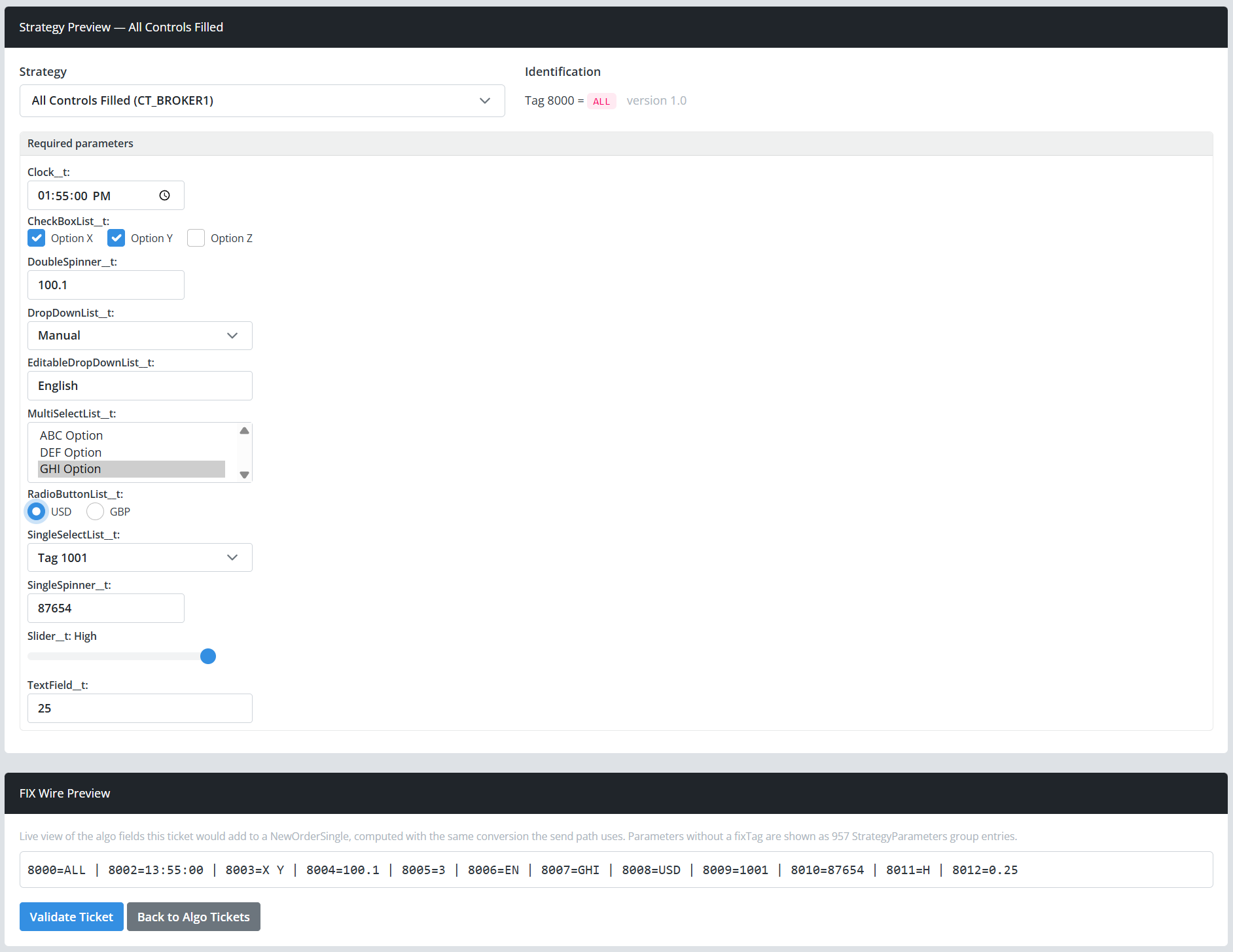
Preview renders a strategy using the broker's own panel layout, with its StateRules running live in your browser. Change a value and watch dependent fields enable, hide, or reset, exactly as the broker defined. Below the ticket, the FIX Wire Preview panel updates as you type, showing the algo fields the ticket would add to a NewOrderSingle, computed with the same conversion logic the send path uses. Nothing is sent from the preview page.
Step 3: Send an algo order
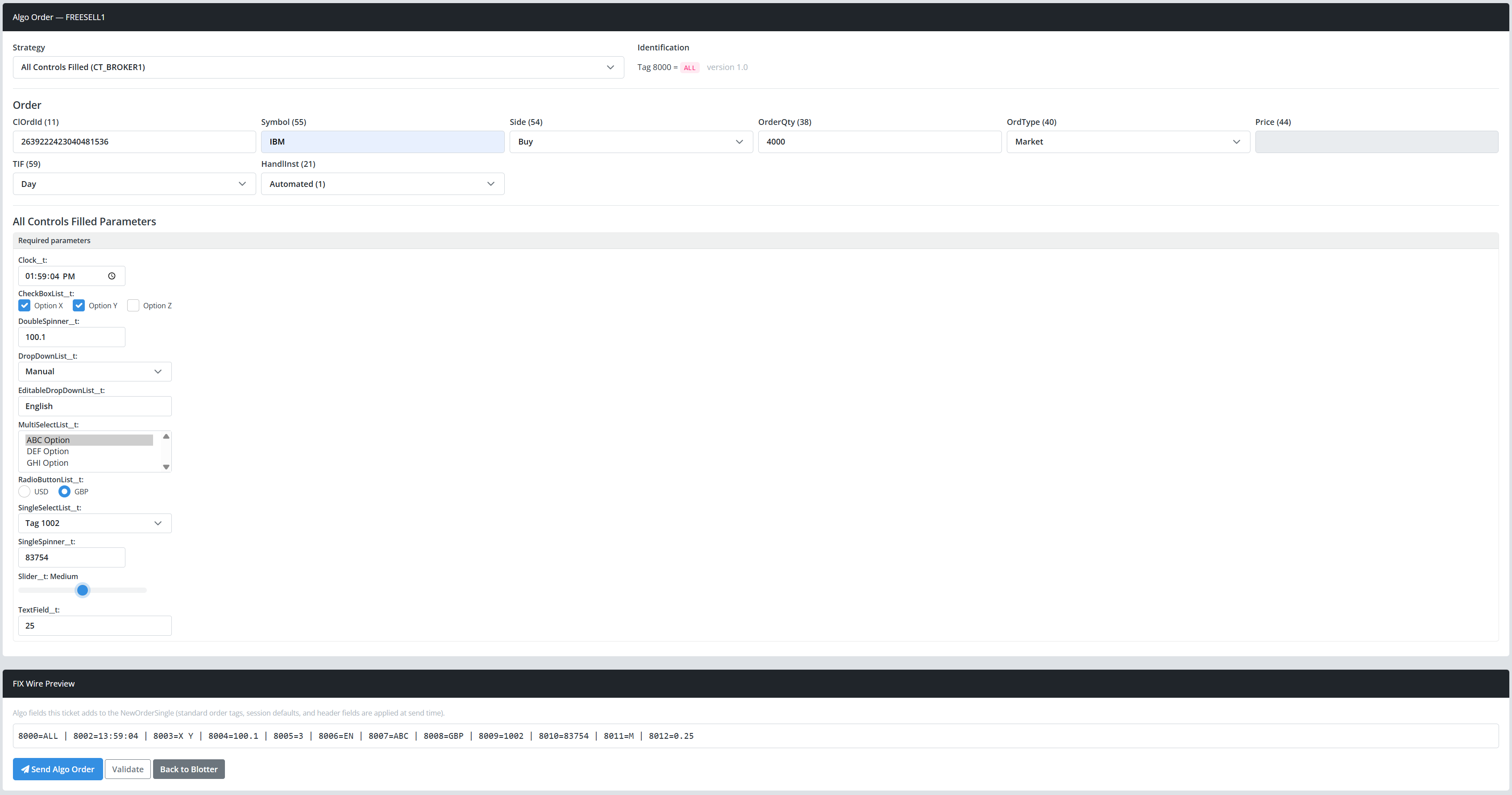
Algo orders are sent from a session's Blotter Out: click Algo Order, pick the ATDL file and strategy, and the Algo Order ticket opens for that session.
The Order section carries the standard NewOrderSingle fields: ClOrdId (11), Symbol (55), Side (54), OrderQty (38), OrdType (40), Price (44), TIF (59), and HandlInst (21). Below them come the strategy's own parameters, rendered from the FIXatdl file. Broker rules that reference the standard fields react to the order section too, so a strategy that (for example) only allows certain parameters on limit orders behaves just as it would in your OMS.
Validate runs the broker's validation rules plus FIXSIM's own checks (required parameters, ranges, types) without sending. Send Algo Order submits the order over the session; it then appears in Blotter Out and the message log like any other order, ready for fills, cancels, or rule-driven responses.
What goes on the wire
The ticket sends a single NewOrderSingle (35=D) containing:
- The strategy identifier - the file's declared identifier tag (tag 847, TargetStrategy, unless the broker's file specifies another) set to the strategy's wire value.
- Tagged parameters - every FIXatdl parameter with a
fixTagis sent as a flat tag=value, including 7000/9000-range custom tags. - Untagged parameters - parameters without a
fixTagtravel in the StrategyParameters repeating group (957/958/959/960) as name, type, and value triplets. FIX 4.3 and later only; on earlier FIX versions the group is omitted. - The standard order fields from the Order section.
Wire conversions follow the FIXatdl rules: enumerated controls send their wire values, percentages are scaled as declared, timestamps are formatted per type, and hidden or disabled controls contribute nothing. The FIX Wire Preview on the ticket always shows exactly what will be added, so there's no guessing.
Notes and limits
- FIXatdl StateRules and validations run in the browser on the rendered ticket; FIXSIM re-checks required fields, types, and ranges at send time.
- Rarely-used control types outside the 15 supported ones render as plain text fields, and custom repeating groups declared by a strategy are flagged in the parse report; parameters with fixTags still send as flat tags.
- Deleting a file removes it and its strategies; sent orders already in your blotters are unaffected.
To exercise your side's algo handling in reverse (receiving and responding to orders), combine Algo Tickets with the Rule Builder, or drive scenarios from CI/CD with the REST API.
