 FIXSIM
Getting Started with FIXSIM
This page walks you through creating your first FIX session and connecting your FIX engine to FIXSIM.
Prerequisites
- Active FIXSIM subscription or trial.
- Network access to the FIXSIM host and port. FIXSIM supports TLS 1.2 encryption for FIX sessions.
- Ability to configure a FIX session on your FIX enabled application (e.g. OMS).
Create a session in FIXSIM
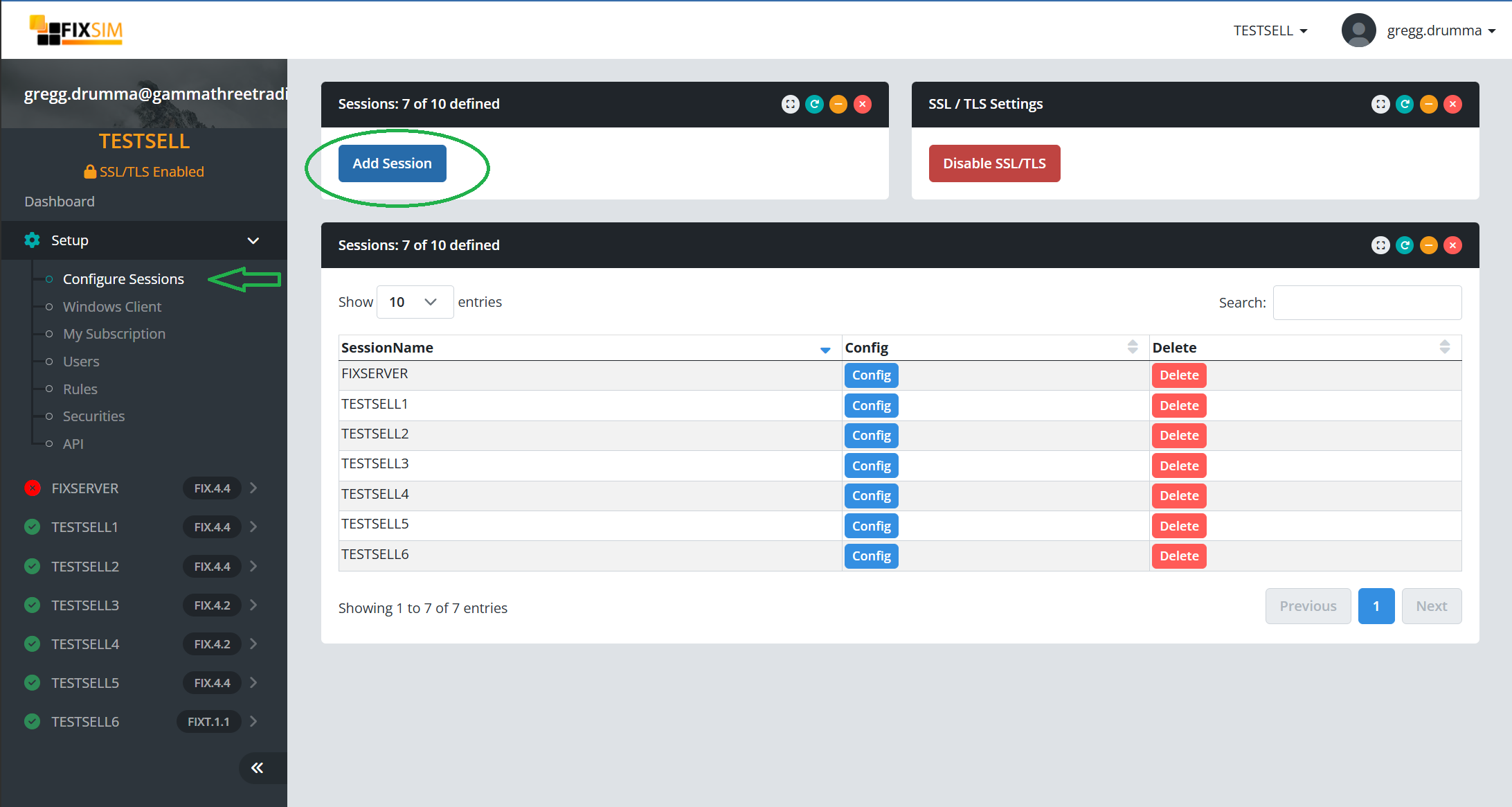
- Sign in to the FIXSIM portal.
- Navigate to Sessions.
- Click New Session.